Some of my projects worked on over the years

This site is a new iteration of my old blogspot blog originally created as part of my ICT homework to log our creation and programming of a line following robot. It should allow you to follow parts of my journey in projects I work on and choose to share.

Created using Tailwind CSS and Claude.

A new direction for this blog

I have decided to continue this blog, sort of. But it is going to be used for showcasing many more different projects too.

This has been brought on by me wanting to create a new wiki-style website for a SWN campaign I am running. We had previously used Google Sites back when it was a West Marches game run by a friend and then later myself. A year or so after it ended, I picked it up again with just a couple of the players to continue their story, and while I had some notes, they were very scattered, so I attempted to see if I could update the website to help. Initially, redoing the style on so many pages and updating it by hand seemed like a lot of work, especially considering what it took to get running in the first place. Luckily, in the intervening years, LLMs have become a thing, so I tried to use ChatGPT to help, having recently found out that it can make and host websites while playing with it randomly. Unfortunately, I have quickly become disillusioned with that option, having realised that there is little control over the actual final product. And so, I am figuring out how to make a full website stack instead, and will use another LLM, Claude, only to help with specific tasks.

In the process of this, I bought a domain. Immediately, I moved my old blog over to the subdomain. However, it looks dated, so I am moving it back to the Blogspot domain it was on but cloning its contents into this new blog, using new styles using Tailwind templates that I will edit.
Playing with the new components

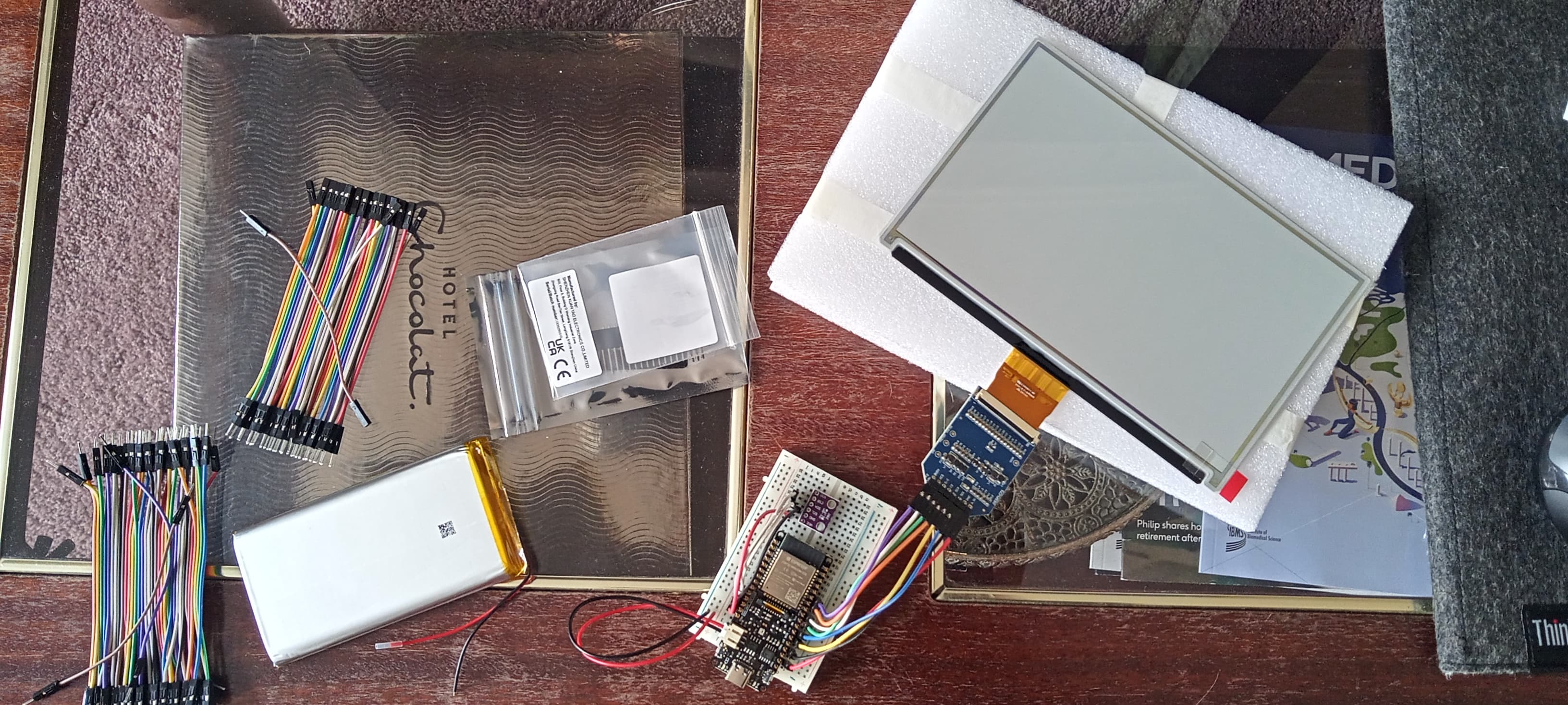
Today I started trying to put together the components I bought to make an e-Ink dashboard screen for my room to measure internal temperature and humidity and show it in relation to current and expected weather outside.

First I tried to attach the Good Display adapter and screen, though I didn't get around to using it, before attaching the BME688 I got from Ali-express. Using the Arduino IDE to program the FireBeetle 2 ESP 32-E, I could not get any information from it unfortunately. I believe this is because I did not solder the headers as this was meant as a prototype and the final version would require me to solder wires directly due to space constraints. This could also be a library issue as most libraries assumed the use of BME modules sourced through Adafruit or similar sellers.

Instead I spent the rest of the evening playing with the FireBeetle's in built LEDs and seeing what I could get it to do using FastLED. To build on this, I also started creating notes to program a fairy light replacement to use at Diwali and looked into various kinds of strip lights and strings such as the NeoPixel ranges.

I also resolved to find some components to be able to read charge levels on a battery being used by an ESP 32 for better information on when it will need charge levels as the battery powered the light for over a night.

CAD

Finished.

---As usual I used HTML to increase the video size and used a downgraded video quality so that it can be uploaded.

I showed the teacher and he showed me that the fixed wheels would be a problem. I've came up with a solution which I am not sure Roger would like. (However If I get time [more than last time] - which is very unlikely - I will make an even more detailed CAD of my new design)

Robot

The scans aren't done yet.

I am in the process of making a CAD of the robot.

Here are the beginnings of what was going to be our data cable: Our analogue (6 choice) light->light sensor, master-slave 'data cable'. However we have decided to now use the NXT Bluetooth functionality: which like our light-sensor'data cable' would be a master-slave conection

The movie is saved as widescreen but all components have been optimized for standard. I have also used the blogger's HTML function to increase the size of the video so it may be a bit problematic

Title and extra

Since the last post the blog has looked weird - I do not know why - I do now.

I'm changing the title by taking of the 'ICT' bit.

It doesn't Use the Jump Break/'Read more' properly so some posts like the previous ones are cut off with out using the 'read more' text

That's all this post is for.

I'm continuing the Blog

The last lot of entries was a web log for our ICT project (in my pair was Ju-Hyeok and myself); This has had to be ended as we are now doing something else in our ICT lessons. But I go to robotics club and Roger and I are making a linefollwer with three light sensors. Later I will post scans of some of my plans and sketches, and maybe even some snippets of programming and other extra's, so stay tuned.

PS. The club is on Fridays

PPS. We may be helped or more likely be competing against Ju-Hyeok in beating this other group's record (in our school-Whitgift).

The End

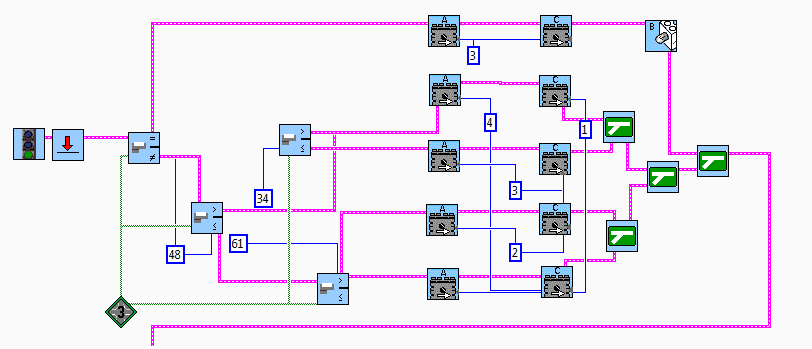
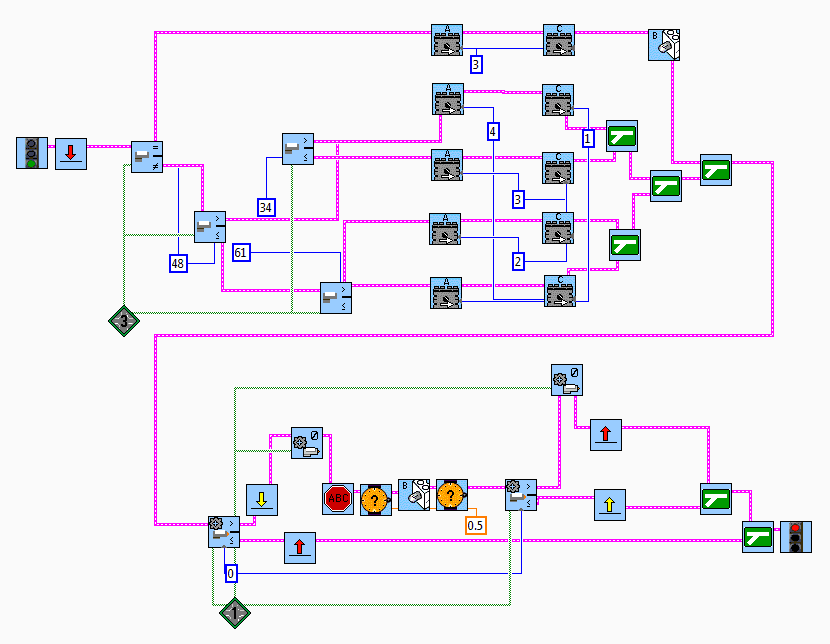
Today (5March2012) we decided to end our project with the following programming:

This is the whole program.

For the individual parts...

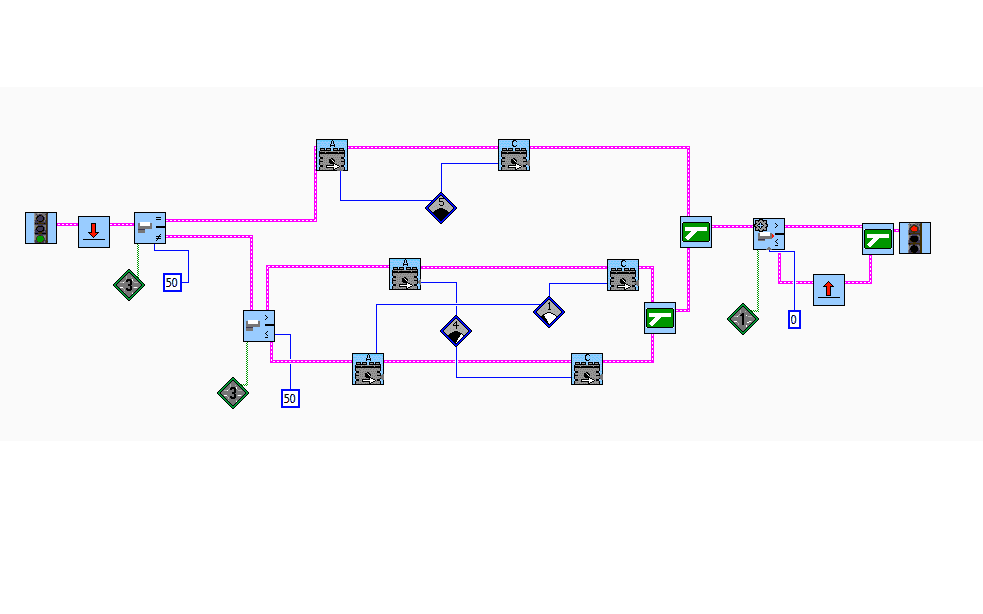
This is the part which actually moves the robot. It is a five speed/turn ratio program.

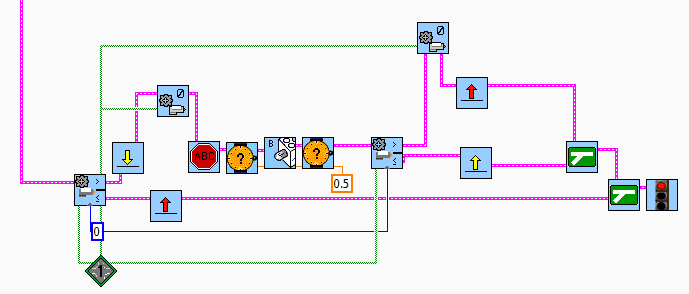
This part is the pause/play switch - the part which probably makes our buggy the most unique in the whole class.

Nearing the end???

We were on Monday thinking about bring the project to a close on Friday, with our fine tuned inventor programming. However ...

...we gave it a quick run (which kept having problems (unlike on Monday) and was the second slowest of our robots at 18.68) and had a peek at a friends almost seamless,straight running. So we decided to continue and fine tune it even further.

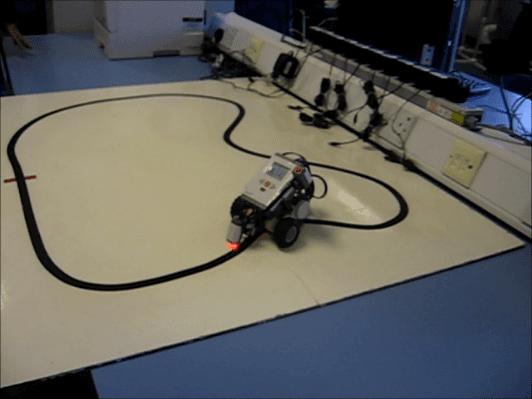
here is a picture of the first fine tune programming and a frame of the robot (taken from a movie (shown)).

Inventor Programming

In the last two lessons we explored Inventor programming and made our first inventor program for our robot. It took our robot 18.81 seconds to complete the lap (slower than the more simple pilot programming-which however was also less controlled)

Programming and Running/Testing

In the last two lessons we have been programming and running our buggy. In the very last level we took videos. We have chosen the best programming which still has some faults, although it can complete a lap in 14.56seconds and do up to 6 consecutve laps before ''spinning out''.

The video is extremely low quality so that it could be uploaded so don't full screen it (unless you don't care).

Making the Robot

We have used the booklet to make a robot and filmed us making it. However we had a few problems.

First of all the camera kept turning off (it had to many video's already on it) and we were missing a few pieces of equipment. Here is the video: